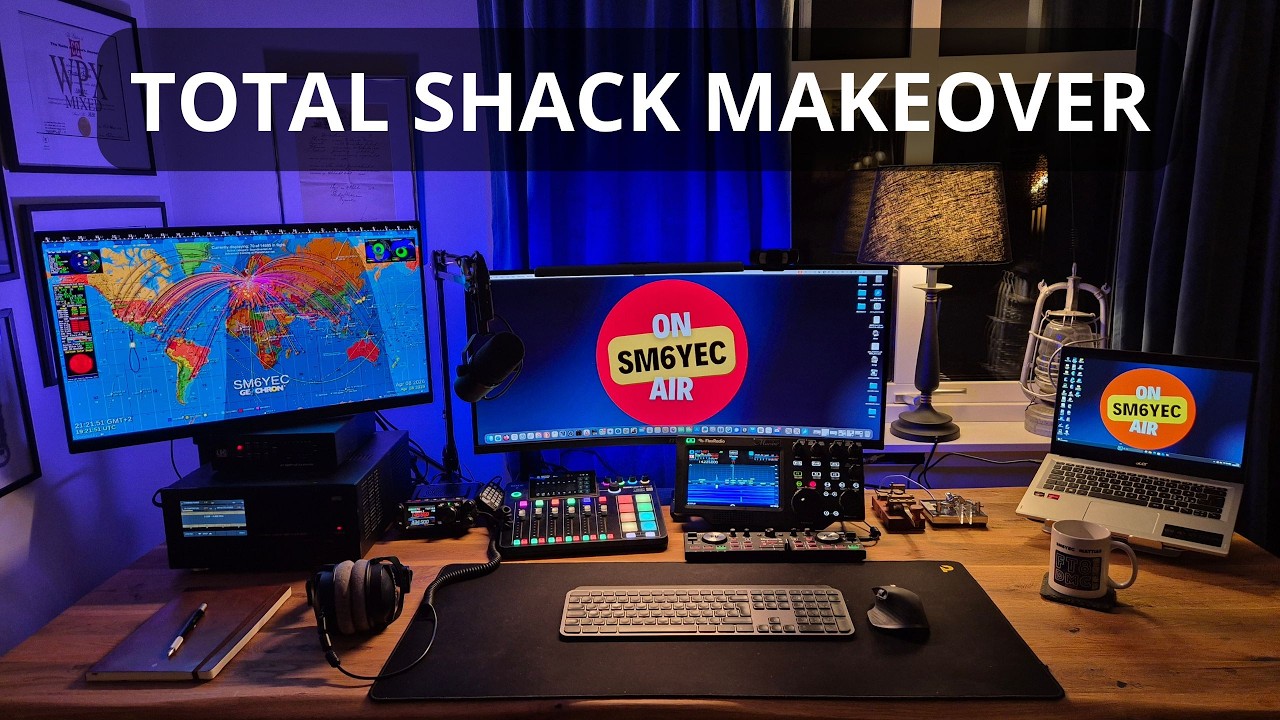
Welcome to my newly rebuilt radio shack!
In this video, I take you through the complete transformation of my station – from a new desk and improved ergonomics to cable management, lighting, audio, and equipment placement. The goal was to create a clean, efficient, and long-lasting shack that works equally well for everyday operating and long contest sessions. You’ll follow the entire build step by step and see how I’ve designed a setup where everything works together – from radio and power distribution to computers, audio, and displays.
Support the channel ☕ Buy Me a Coffee https://buymeacoffee.com/sm6yeconair
📌 In this video I cover:
* New desk setup and ergonomic workspace design
* Cable management and clean shack organization
* Radio and power supply placement under the desk
* Linear amplifier placement and best practices
* Audio system setup with Shure and RØDECaster Pro II
* Lighting and workspace illumination improvements
* Monitor selection and ergonomic display setup
🎬 Chapters:
00:00 Intro – Radio Shack Makeover Overview
02:12 New Desk Setup & Ergonomic Workspace Design
07:32 Cable Management & Clean Shack Organization
10:43 Radio & Power Supply Placement (Under-Desk Installation)
13:31 Amplifier Placement – Best Practice for Linear Amplifiers
14:19 Audio System Setup
19:14 Lighting Setup – Shack Illumination & Workspace Visibility
20:46 Monitor Setup – Choosing the Right Displays for Ergonomics & Workflow
23:00 Conclusion – Final Thoughts & Summary
💡 About this video This is more than just a shack tour – it’s a full rebuild focused on ergonomics, efficiency, and long-term usability. Whether you’re a new ham radio operator or an experienced contest operator, I hope this video gives you inspiration and practical ideas for your own station.
73 and thanks for watching!